FLUTTER · SESSION REPLAY

Every tap, request and error, replayed from one HTML file.

flog_flow records what a user does in your Flutter app and exports it as a single self-contained .html: screens, taps, network, errors and logs on one timeline. Attach it to a ticket, send it over Slack, open it with a double click.

$flutter pub add flog_flow
No serverNo accountWorks offlineAndroid · iOS · macOS · Windows · Linux
Step-by-step replay of a recorded Flutter session in the browser
HOW IT WORKS

Record. Export. Replay anywhere.

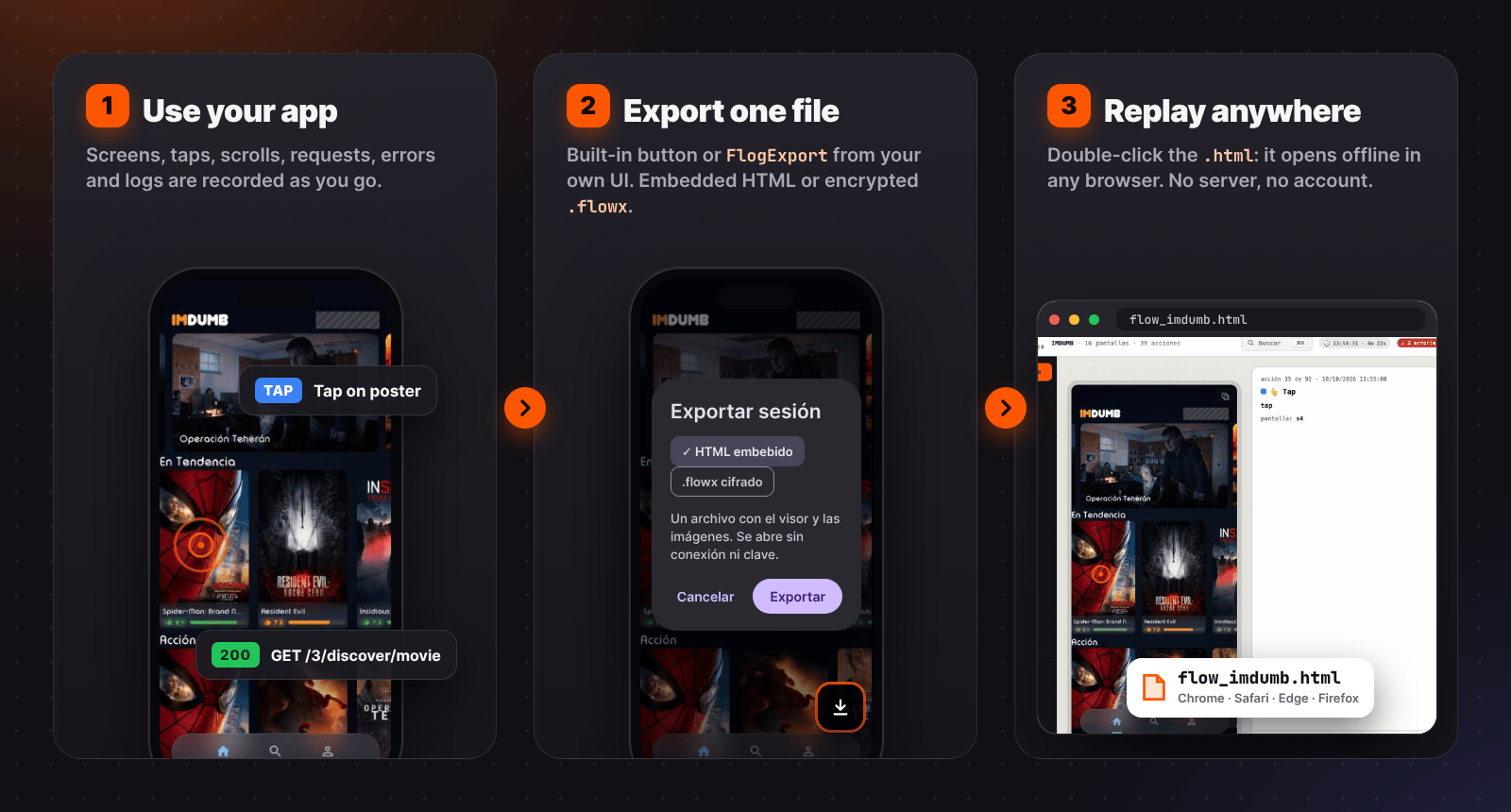
Recording runs inside your app while testers use it. When something looks wrong, they export the session and send one file; whoever opens it sees exactly what happened, in order.

1. Use your app. 2. Export one file. 3. Replay it in any browser
DEMO

A real session, exported to video

16 screens, 39 interactions, 31 requests and two recorded errors, rendered as an MP4 by the viewer itself. Authorization headers were removed for this demo.

FEATURES

Everything a bug report needs, in one file

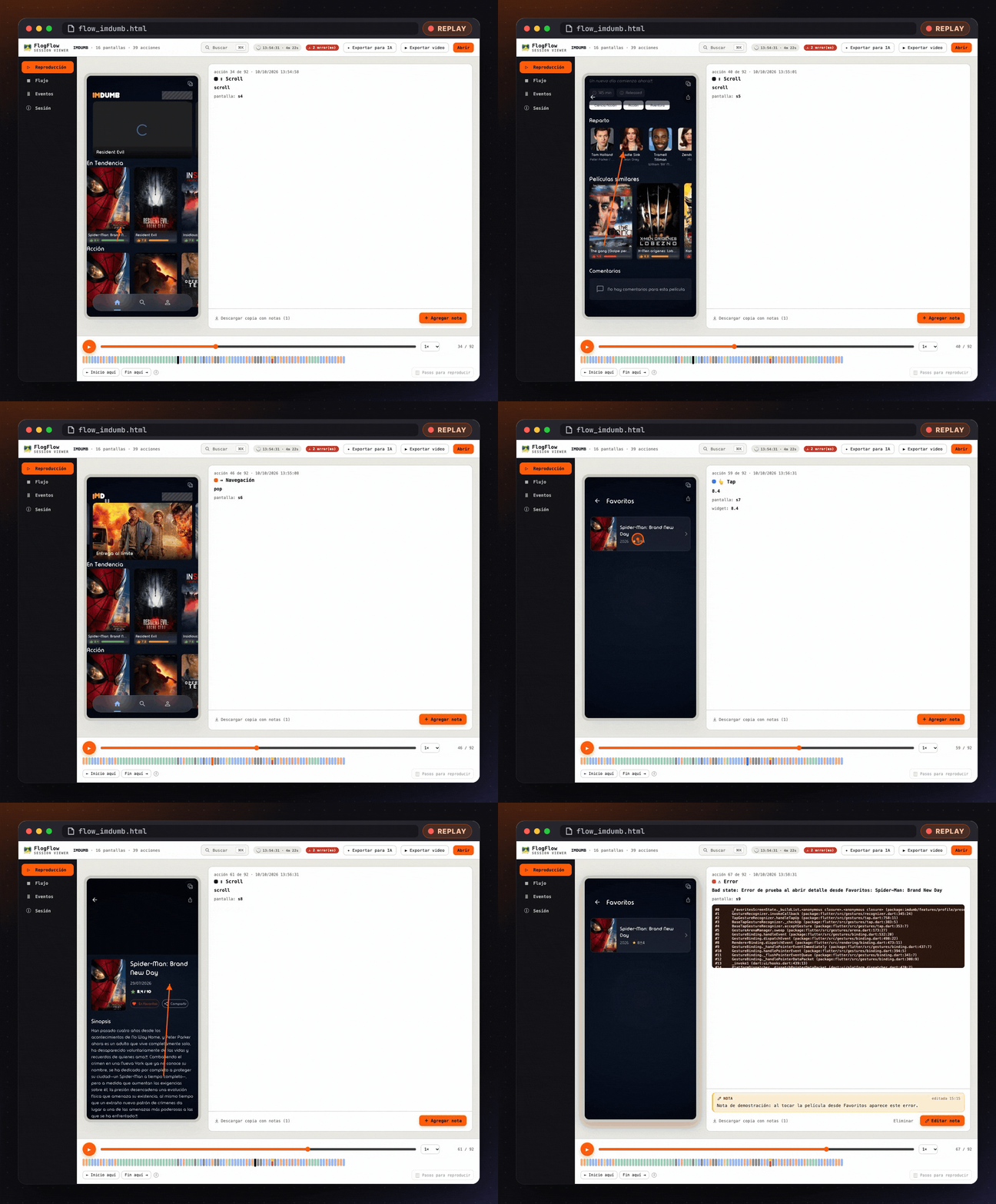
REPLAY

Step-by-step replay

Every screen and interaction, in order: the exact point of each tap, the direction of each scroll and the navigation it triggered. Play it like a video or move with the arrow keys.

Step-by-step replay
NETWORK

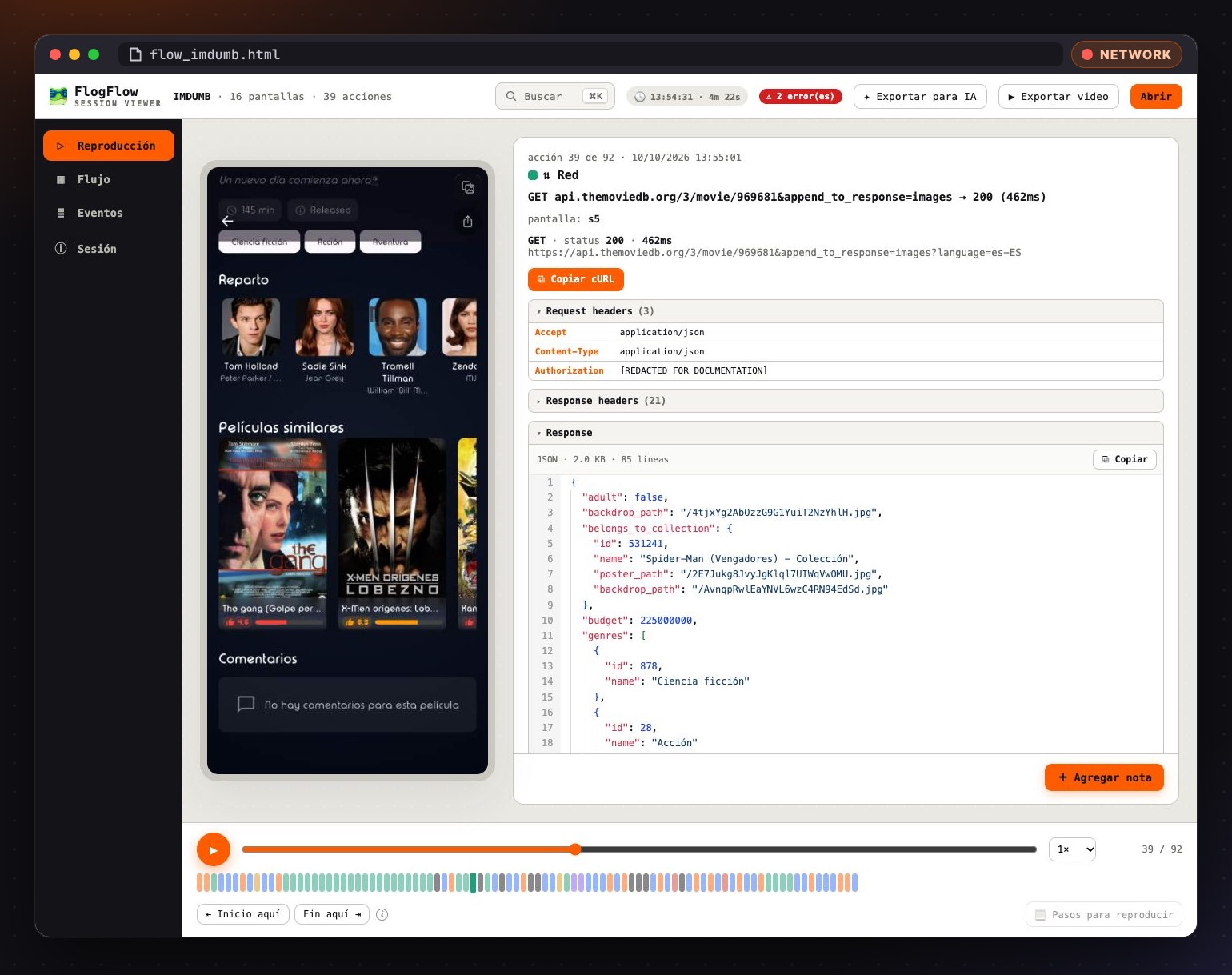
Network traffic with Copy cURL

Each request sits next to the tap that caused it: method, URL, status, duration, headers and bodies with a JSON viewer. Repeat any request from a terminal.

  • Dio through flog_flow_dio
  • package:http through flog_flow_http
  • Any client with recordHttpCall
Request headers, response JSON and copy as cURL
ERRORS

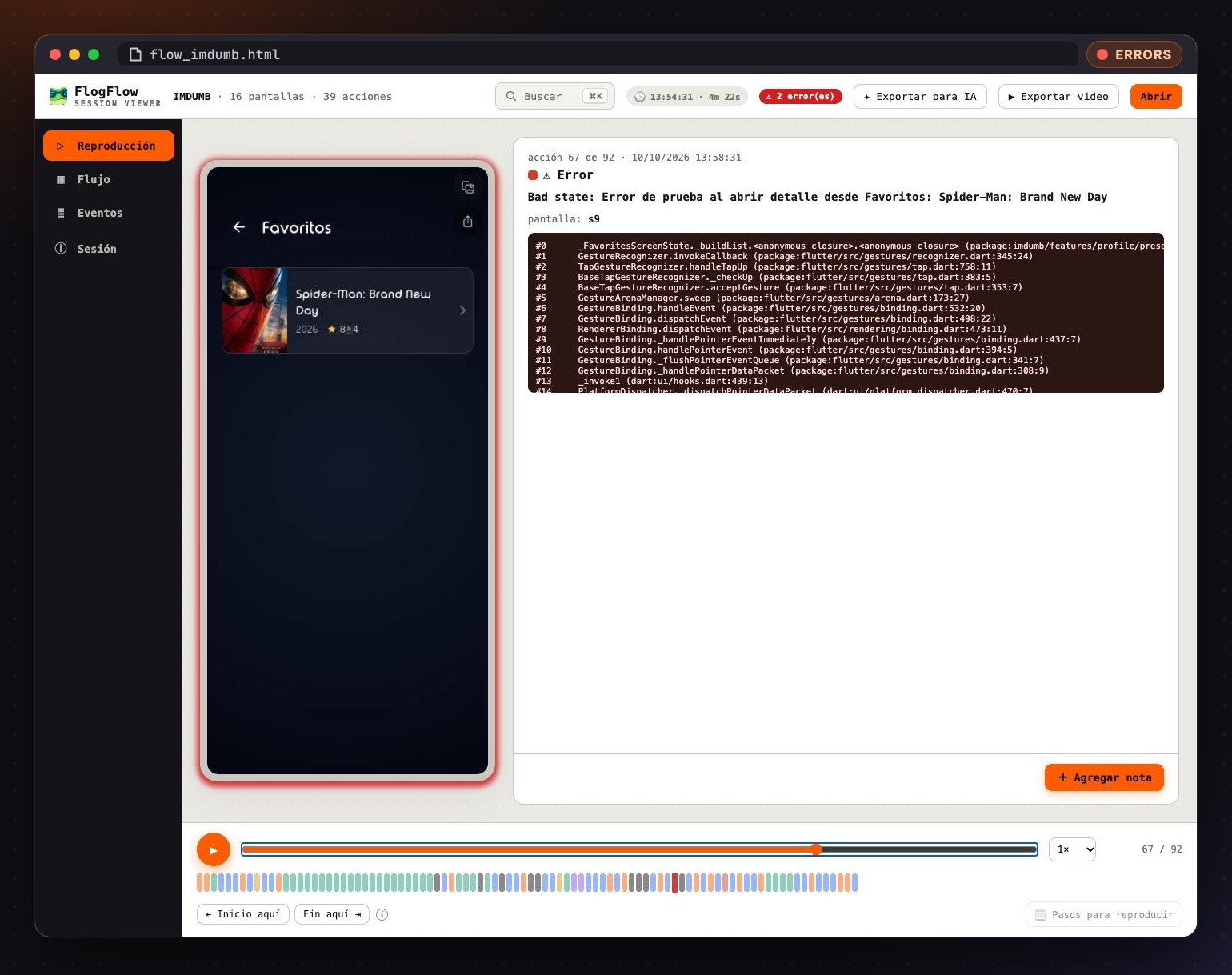
Errors with context

Every error is stored with its stack trace and a screenshot of the screen it happened on, in the same timeline as the taps and requests that led to it.

Recorded error with stack trace
AI

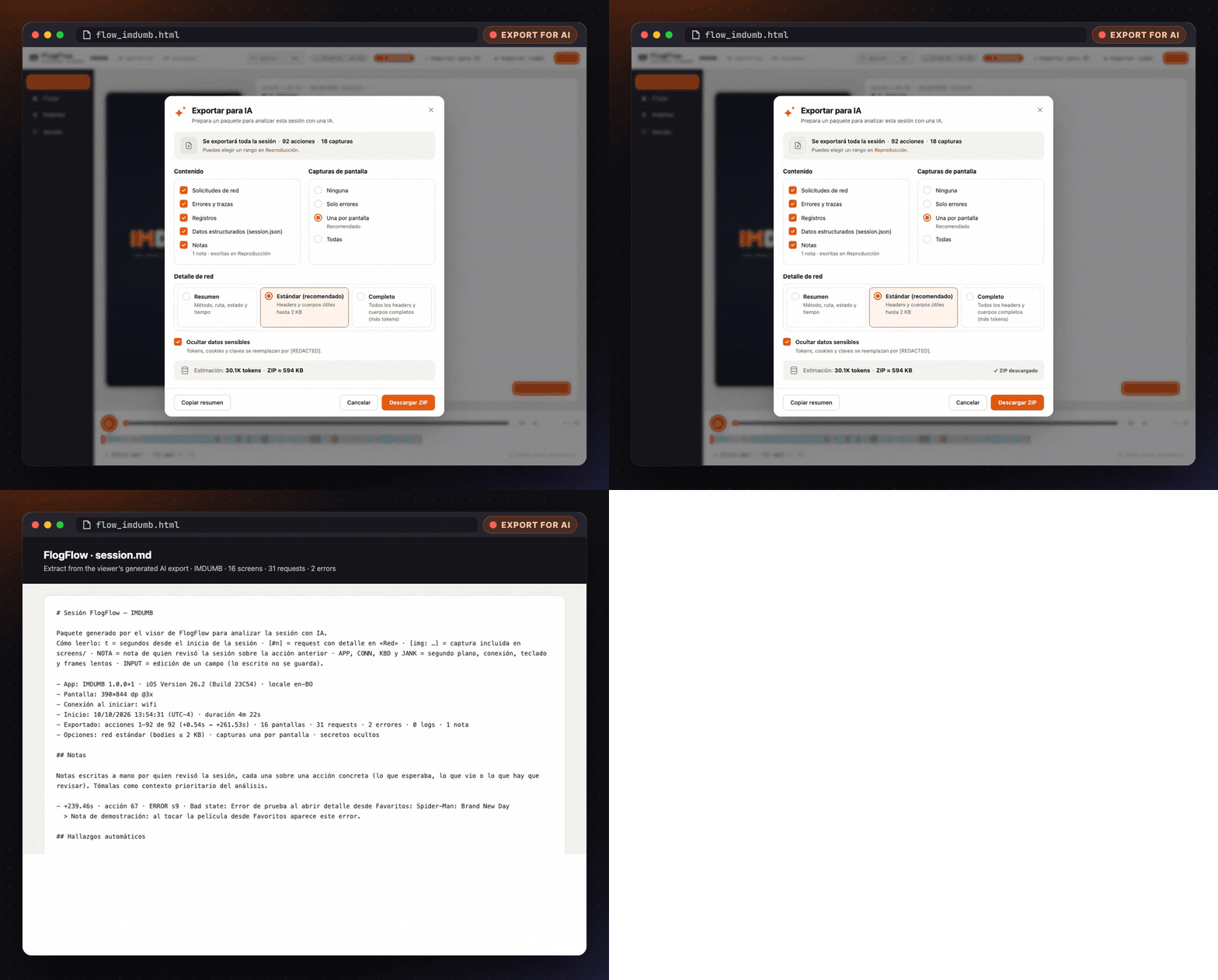
Export for AI

One click builds a configurable .zip for Claude, ChatGPT or Gemini: a readable session.md, a session.json and the key screenshots, starting with automatic findings. Secrets are hidden by default.

AI export options and generated session summary
REPORTS

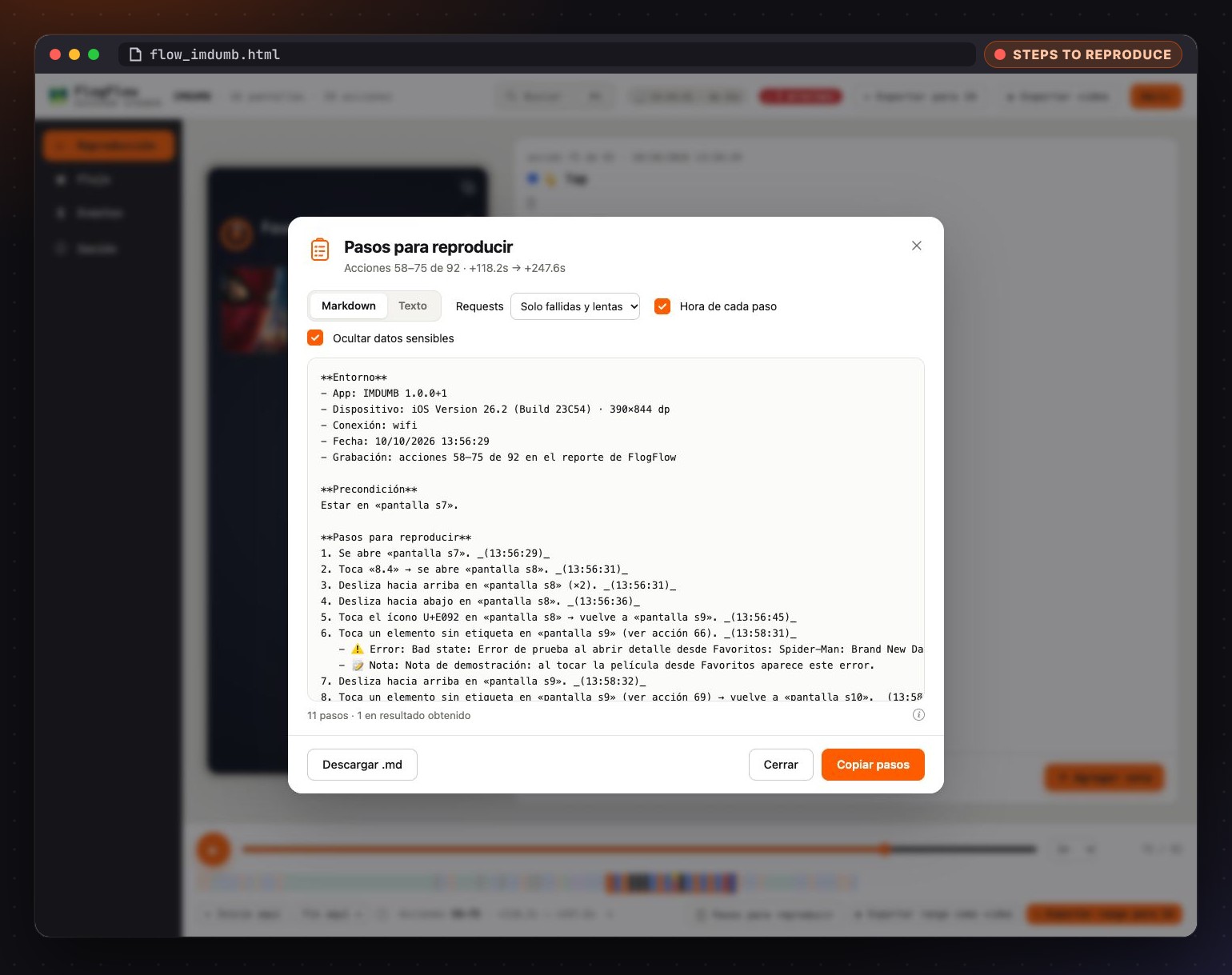
Steps to reproduce

Select a range of the timeline and get the bug report written: environment, precondition, numbered steps, observed and expected result. Markdown for Jira, GitHub or Slack.

Generated steps to reproduce
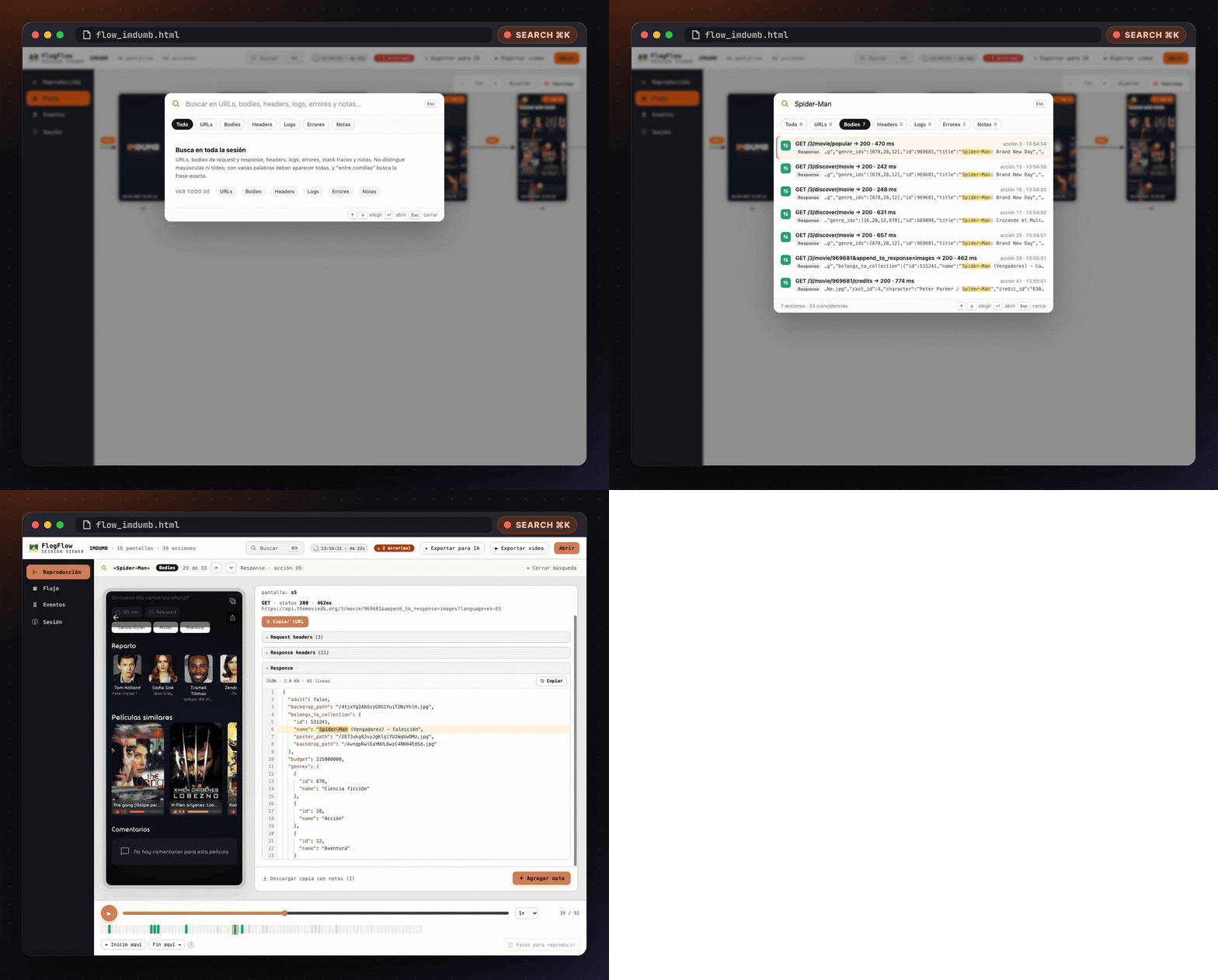
SEARCH

Search everything

⌘K / Ctrl+K searches URLs, bodies, headers, logs, errors and notes, and jumps to the matching action with every hit highlighted.

Searching inside response bodies
📤
Built-in export buttonEmbedded HTML or encrypted .flowx, shared from the app in one tap.
🎞️
Export to MP416:9 or 9:16, rendered in the browser with taps, requests and notes.
🗒️
Notes on any actionSaved inside the same .html for the next person.
🗺️
Flow mapEvery screen visited and the action behind each transition.
📡
System signalsBackground, connection, keyboard, field edits and slow frames.
🔒
Private by defaultPassword fields masked in screenshots, RedactedZone for the rest.
INSTALL

Up and running in three lines

The README also includes a prompt that lets your AI coding assistant install it for you.

# the core package
flutter pub add flog_flow
# if you use Dio
flutter pub add flog_flow_dio
# if you use package:http
flutter pub add flog_flow_http
await FlogFlow.instance.start(appName: 'MyApp');

MaterialApp(
  navigatorObservers: [FlogFlow.instance.newNavigatorObserver()],
  builder: (context, child) => FlogFlogScope(
    showExportButton: true,
    child: child!,
  ),
);
PackageUse it when
flog_flowAlways: recorder, export and viewer
flog_flow_dioYour app uses Dio
flog_flow_httpYour app uses package:http (or a package built on it)

Stop guessing what the user did.

Give your testers one button, and your developers the whole story.

Get flog_flow on pub.dev